A filter edits; a generator proposes new pixels
Pet filter or AI portrait? The difference matters for likeness
A filter applies a repeatable transformation to an existing image—color, overlay, face warp or background effect. Generative AI creates substantial new image content. That makes AI capable of an imagined puppy or kitten scene, but also capable of moving markings or changing anatomy. Choose according to how much change and uncertainty the idea requires.
- Account required · No subscription
- Two distinct private moments
- You decide what the memory means to you
Filters are faster and more consistent for shallow edits.
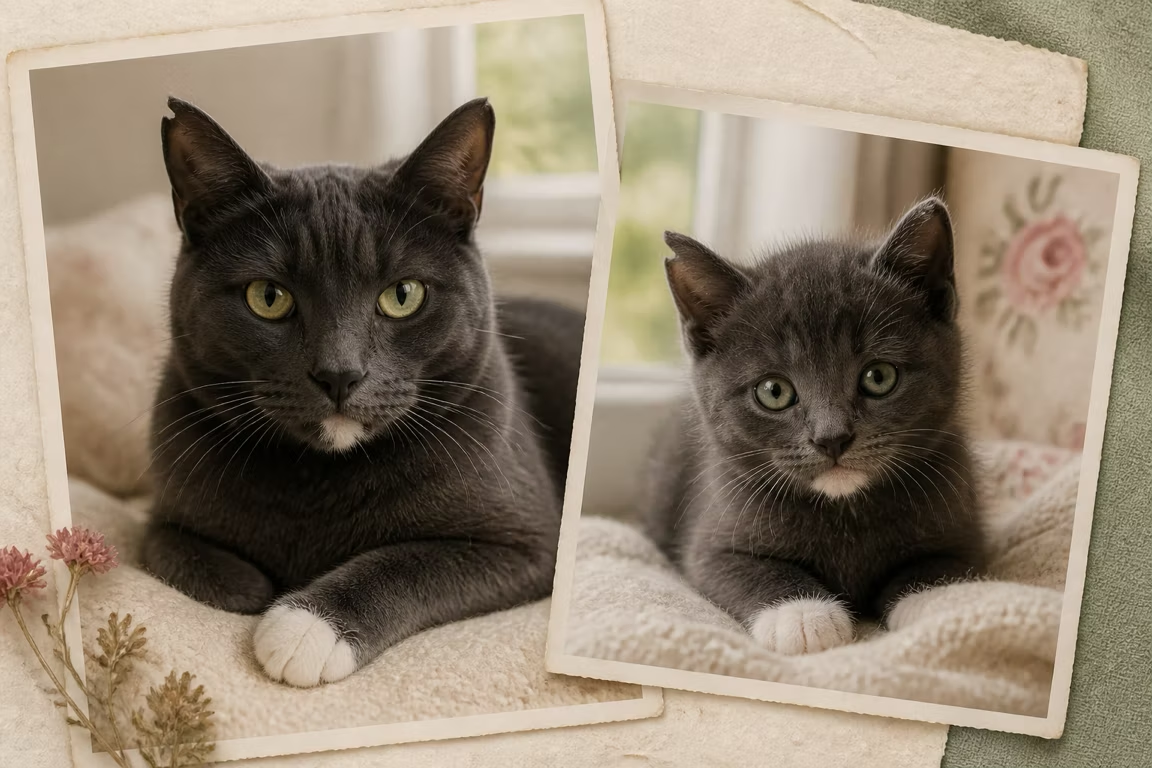
Generative AI can change age, pose and scene but introduces identity risk.
Both tools require privacy review because the original photo may be uploaded.
What a pet filter does well
Filters preserve much of the original pixel structure, so they work for color moods, frames, stickers and simple face effects. They are predictable and easy to repeat. They may look artificial when asked to change age or anatomy because the adult structure remains underneath the overlay.
What generative AI adds
A generator can propose shorter puppy muzzles, kitten proportions, new fur detail, changed pose and an entirely new setting. Those abilities make the result feel like a new portrait rather than an edited selfie. The cost is variation: details that were not firmly anchored may be invented.
How errors differ
A filter error often looks like bad alignment, warped edges or an overlay that misses the face. An AI error can look visually polished while changing identity, adding paws, simplifying markings or creating impossible anatomy. Review AI outputs slowly; visual quality can hide factual inconsistency.
Which should you use
Use a filter when you want a quick social effect and the original adult face should remain. Use generative AI when the idea requires a new age or scene and you accept interpretation. Use an artist when manual control or physical media is central. The tool should follow the job, not the trend.
Questions people ask
Is a puppy filter the same as dog-to-puppy AI?
No. A filter usually warps or overlays the original; generative AI creates new puppy anatomy and image areas.
Which keeps identity better?
A shallow filter often preserves more original pixels. Generative AI enables larger changes but requires careful likeness review.
Are free filters private?
Not automatically. Check the service’s upload, gallery, training, retention and deletion terms.
Keep exploring
AI pet portrait or custom artist? Choose by the result you need
Compare AI pet portraits and commissioned artists by likeness control, turnaround, price, revision, privacy, physical delivery, and best-fit use case.
An AI pet portrait generator for the baby years you missed
Create two distinct AI-imagined baby portraits of your dog or cat from one photo, in the native format you choose for their intended use.
See what your dog might have looked like as a puppy
Use one adult dog photo to create an AI-imagined puppy portrait. Learn which traits should stay recognizable and preview the complete result before deciding whether to keep it.
Imagine the kitten years you never got to see
Create an AI-imagined kitten portrait from one adult cat photo, with guidance for preserving coat pattern, eye color, face shape, and expression.
Use generation only when the memory needs a new chapter
BeforePaws creates an imagined younger portrait and lets you check that larger change in a private preview.
Preview a baby portrait- Account required · No subscription
- Two distinct private moments
- You decide what the memory means to you