Diagnose the first wrong feature
Why an AI pet portrait can be beautiful and still feel like the wrong animal
People recognize their pets through relationships among features, not a generic label such as brown dog or tabby cat. AI can produce polished fur and appealing light while moving a patch, widening a muzzle or changing an ear. The fastest improvement comes from naming the first identity error and deciding whether the source photo contains better evidence for it.
- Account required · No subscription
- Two distinct private moments
- You decide what the memory means to you
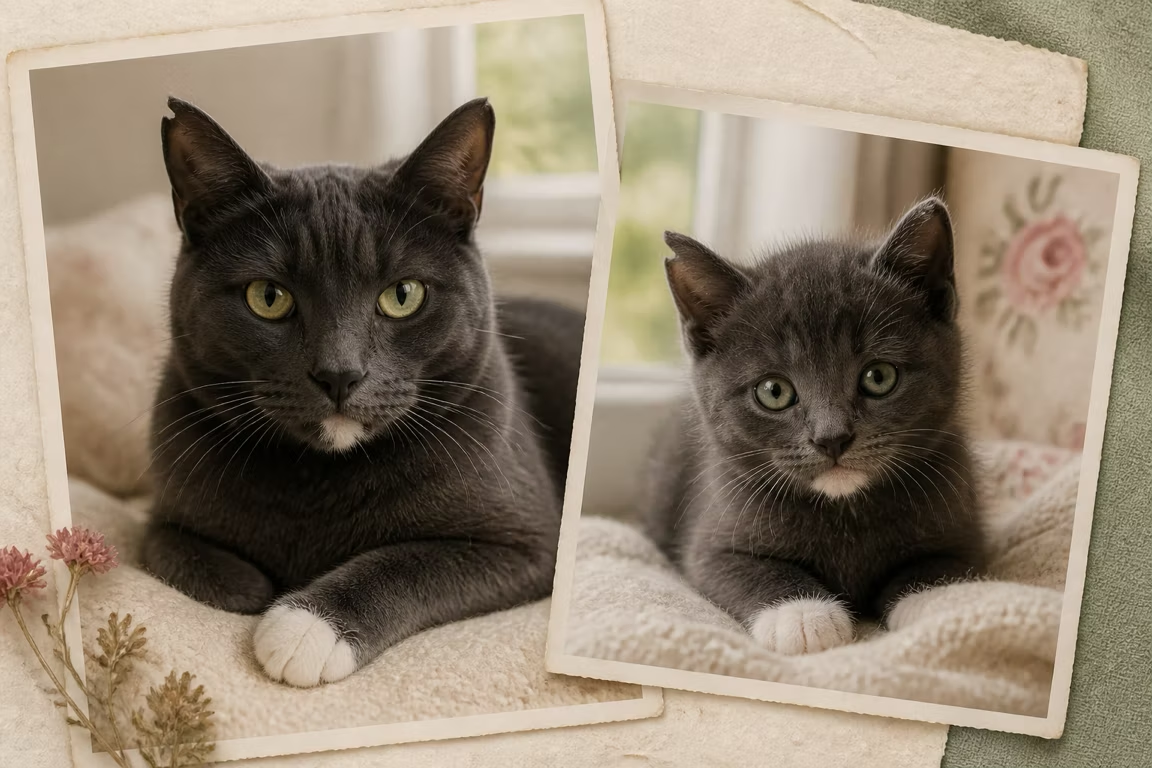
A polished image is not the same as a recognizable portrait.
Source-photo information limits what any model can preserve.
Change the input or crop for a diagnosed reason; do not regenerate blindly.
The face is too small or compressed
If eyes, nose and fur boundaries occupy few pixels, the model fills gaps with common pet features. Find the original file, crop closer without cutting ears, and avoid screenshots. Upscaling cannot recreate identity detail that never existed, though it may make artifacts look smoother.
Lighting hides the real color map
Deep shadow can erase a cheek patch, warm indoor light can shift white fur, and flash can change eyes. AI may faithfully follow the misleading photo. Choose neutral light or a second photo that confirms color, but keep the generation source to one image in the current flow.
The age transformation is overpowering identity
Puppy and kitten proportions require real structural change. If the model shortens the muzzle, rounds the skull or enlarges eyes too aggressively, the animal becomes generic. Judge whether key markings and expression survived; an exact adult face pasted onto a small body would also be an unconvincing result.
The scene adds too many competing decisions
Costumes, complex props, dramatic backgrounds and multiple animals consume model attention and create occlusions. Start with a simple home, blanket or neutral setting. Once likeness is strong, decorative variation is safer. BeforePaws prioritizes identity because the Memory Pack is about the pet, not the scenery.
Questions people ask
Can a different source photo fix likeness?
Often, especially when the first image hides markings, compresses the face or changes color. It cannot guarantee a perfect generative result.
Why does every result look like a generic breed?
The model may be relying on common learned features because the individual identity evidence is weak or the age transformation is too strong.
Should I use more descriptive prompts?
BeforePaws uses a guided flow. A clearer photo and simpler scene usually provide more reliable evidence than adding many adjectives.
Keep exploring
Choose a pet photo that gives AI enough evidence
Use a practical photo-selection checklist for AI pet portraits: face size, focus, light, markings, angle, cropping, filters, and common failure cases.
An AI pet portrait generator for the baby years you missed
Create two distinct AI-imagined baby portraits of your dog or cat from one photo, in the native format you choose for their intended use.
See what your dog might have looked like as a puppy
Use one adult dog photo to create an AI-imagined puppy portrait. Learn which traits should stay recognizable and preview the complete result before deciding whether to keep it.
Imagine the kitten years you never got to see
Create an AI-imagined kitten portrait from one adult cat photo, with guidance for preserving coat pattern, eye color, face shape, and expression.
Try again only after you know what needs to change
Choose a stronger source, then use the private preview to inspect the exact identity feature that failed.
Test a stronger photo- Account required · No subscription
- Two distinct private moments
- You decide what the memory means to you